Best Smart Devices for Basements & Lower Levels (Water, Humidity & Power Alerts) 2026
Basements and lower levels are where home problems tend to start quietly — water intrusion, sump pump issues, creeping humidity, and storm-related power loss. The tricky part is you often don’t notice anything is wrong until there’s visible damage or a musty smell that won’t go away.
The goal of “smart” tech in a basement isn’t to automate the space. It’s to add simple monitoring and fast alerts so you catch issues early — especially during storms, cold snaps, or long stretches when you’re not checking the basement every day.
Quick Take
If you only buy 3 things: a leak sensor near the water heater or sump area, a power-fail alert on the outlet powering critical equipment (like a dehumidifier or sump system), and a humidity sensor to catch damp trends early. Add temperature monitoring if you have cold corners or plumbing near exterior foundation walls.
What to Monitor in a Basement (The Big Risks)
- Water: water heaters, floor drains, seepage after storms, laundry hookups
- Sump reliability: power loss, pump downtime, storm surges
- Humidity: mold risk, musty smells, condensation on pipes/walls
- Temperature: cold corners, freeze risk near foundation walls or exterior plumbing runs
- Access points: bulkhead doors, basement stairs, exterior entrances (optional visual checks)
Best Smart Devices for Basements & Lower Levels
YoLink Water Leak Sensor (No Subscription, Long Range)
Best for: catching small leaks before they become big repairs
Basement water problems aren’t always dramatic floods — it’s often a slow water heater seep, a laundry connection starting to fail, or storm water that shows up in the same corner every time it rains hard. A leak sensor gives you a fast “something changed” alert, so you can respond before moisture spreads or damages flooring, storage, or framing.
Where it works best: at the base of a water heater, near sump pits (outside splash zones), next to a floor drain, behind a washer/dryer hookup, or in the lowest corner where water tends to collect.
Why We Chose This: YoLink’s long-range ecosystem is helpful in basements where Wi-Fi can be inconsistent. It’s a strong fit for below-grade monitoring and larger homes.
What to Know Before Setup: Place sensors where leaks start (water heater base, supply lines) — not where water might spread later. If you’re monitoring a sump area, place the sensor near the pit but away from direct spray or splashing.
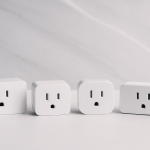
YoLink Smart Power Fail Alarm
Best for: knowing instantly when critical basement equipment goes offline
Power loss is often the hidden cause behind basement issues: the dehumidifier stops running, the router goes down, and in some setups the sump system becomes unreliable. If you only discover an outage hours later, you’ve lost the time window where you could prevent secondary damage (humidity spikes, water backup, or temperature drop).
Where it works best: on the outlet powering a dehumidifier, sump-related outlet/circuit, boiler controls, or any “if this is off, I need to know immediately” basement circuit.
Why We Chose This: It’s one of the simplest “high ROI” basement upgrades — you get clarity during storms and cold snaps without complicated setup.
What to Know Before Setup: Plug it into the outlet that represents what you care about. If it’s on a random basement outlet, the alert will be too vague to act on.
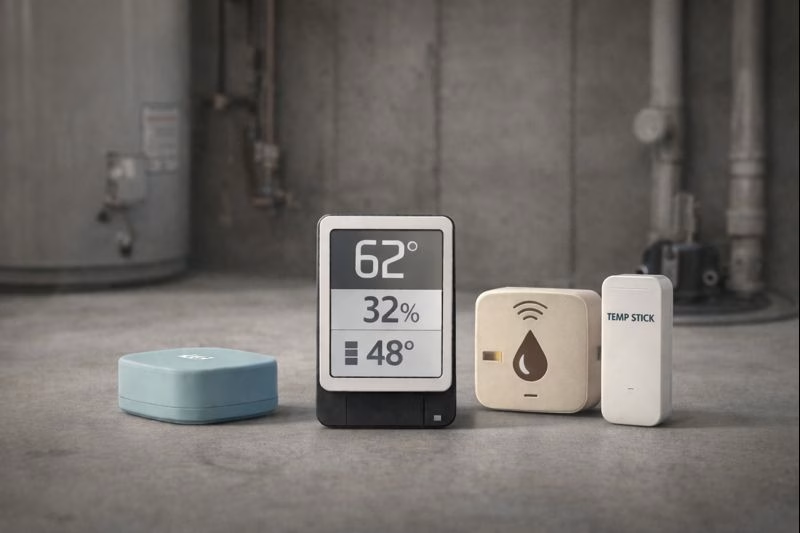
Govee WiFi Temperature & Humidity Sensor (H5179)
Best for: catching humidity trends before musty smells show up
Basement humidity doesn’t always feel “bad” day to day — but trends tell the truth. If humidity stays elevated after storms, or slowly climbs in summer, you can end up with odors, condensation, and mold risk long before you see anything obvious. A humidity sensor helps you spot the pattern and decide whether you need a dehumidifier adjustment, better ventilation, or targeted sealing.
Where it works best: near foundation walls, storage zones, finished basement corners, utility rooms, or anywhere you’ve noticed dampness after rain.
Why We Chose This: It’s affordable enough to monitor multiple basement zones, and it’s great for learning how your space behaves across seasons.
What to Know Before Setup: Don’t set the humidity threshold too tight. A better approach is “alert me if it stays high” rather than pinging for every brief spike — otherwise you’ll start ignoring alerts.
Temp Stick WiFi Temperature & Humidity Sensor
Best for: monitoring cold corners and basement freeze risk
Not all basements freeze, but cold pockets near exterior foundation walls or basement plumbing runs can drop faster than the rest of the house — especially during power loss or extreme cold. A temperature sensor gives you early warning and helps you identify whether certain corners need insulation, airflow changes, or simply a smarter alert threshold.
Where it works best: basement cold corners, near pipes on exterior walls, utility areas with plumbing runs, or near a crawl/bulkhead connection where drafts are common.
Why We Chose This: Temp Stick is widely used for remote monitoring and freeze prevention. It’s a simple tool that solves a real “I didn’t realize it got that cold down there” problem.
What to Know Before Setup: Set freeze-related alerts at 40–45°F so you have time to respond. Waiting until 32°F usually means you’re already in a risky zone.
eufy SoloCam S40 Solar Outdoor Camera (Optional)
Best for: quick visual checks near basement entrances and access points
A camera won’t stop basement water or humidity — but it can reduce uncertainty after storms or alerts. If you have a bulkhead door, exterior basement stairs, or an entry point that’s vulnerable in bad weather, a simple exterior view can answer “does everything look normal?” in seconds without a trip to the house.
Where it works best: bulkhead doors, exterior basement stairs, side doors, or a driveway angle that shows the lowest part of the property during storms.
Why We Chose This: Solar keeps it low maintenance, and eufy is a good fit for people who want usable alerts without paying a monthly subscription.
What to Know Before Setup: Solar cameras need decent daylight exposure. Choose placement for sun first, then angle. Also, keep motion zones tight — too many notifications becomes noise.
A Simple Basement Starter Setup (Low Effort, High Coverage)
- Leak sensor: water heater base + your “lowest corner” risk zone
- Power fail alert: outlet powering critical equipment (dehumidifier / sump-related circuit)
- Humidity sensor: foundation wall corner or finished basement edge
- Optional temperature alert: cold corner near exterior plumbing/foundation
- Optional camera: bulkhead door / basement stairs for storm-time checks
What to Know Before Setup (So You Don’t Get Alert Fatigue)
- Start with one “risk corner”: Don’t spread sensors everywhere on day one. Monitor the areas most likely to fail first.
- Make alerts actionable: If an alert doesn’t tell you what to do next, you’ll ignore it over time.
- Test everything once: Trigger the leak sensor, unplug the power outlet, and confirm alerts hit your phone.
- Have a response plan: Know who to call (neighbor, handyman, plumber) and how quickly they can access the property.
Final Thought
The best basement smart setup is the one that stays quiet — then warns you early when something changes. Focus on water, power, and humidity first, and expand only if the basement has specific cold-zone or access-point risks.
Disclosure: As an Amazon Associate, we earn from qualifying purchases.