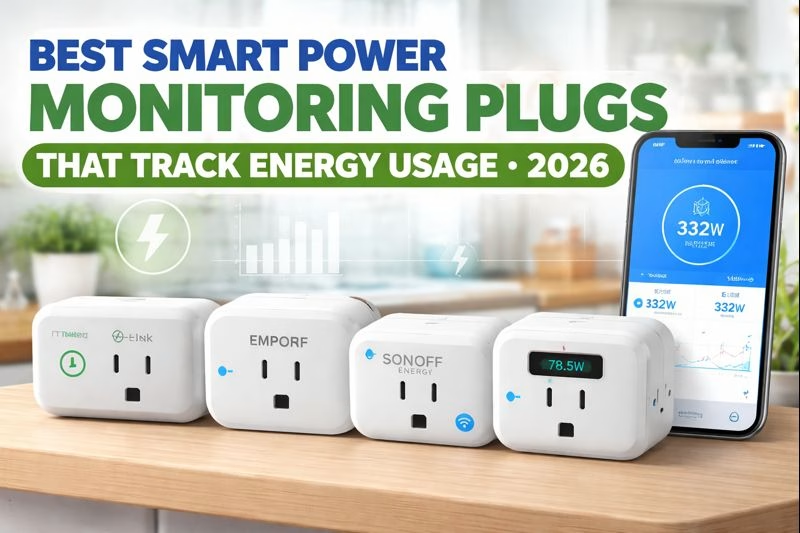
Best Smart Power Monitoring Plugs That Track Energy Usage – 2026
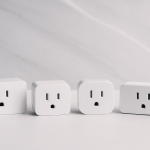
If you’ve ever looked at your electric bill and thought, “What is actually using all that power?”, you’re the perfect candidate for an energy-monitoring smart plug. These plugs go beyond on/off schedules: they show real-time wattage, kWh usage over time, and (in some apps) estimated cost—so you can catch energy vampires like space heaters, dehumidifiers, old mini fridges, or “always-on” entertainment setups.
Related:
Smart Plugs |
Smart Power Strips |
Wi-Fi Range Extenders |
Cable Management for Desks
TP-LINK KASA SMART PLUG WITH ENERGY MONITORING (KP115)
Best Overall for Most Homes
If you want energy monitoring that’s simple, reliable, and easy to interpret, the Kasa KP115 is the safest “buy it once” pick. The app makes it painless to see which devices are pulling power right now and which are quietly adding up over weeks (hello, dehumidifiers and old freezers). This is the plug for people who want clarity without a learning curve.
- Who it’s for: Anyone who wants a straightforward way to see where energy is going—and reduce waste fast.
- Why it’s worth it: Great app UX, dependable connectivity, and the monitoring features are genuinely usable (not buried or confusing).
- Real-world tip: Use it for high-draw culprits first: space heaters, portable AC units, dehumidifiers, and gaming PCs.
EMPORIA SMART PLUG WITH ENERGY MONITORING
Best for “I Want the Most Detailed Usage Data”
Emporia is a strong pick if you’re a data person. It’s made for the homeowner who wants to compare devices, track usage patterns, and actually measure what changed after you swapped a gadget or adjusted a routine. If you’re trying to answer questions like “How much does my pellet stove cost to run per month?” or “Is my garage fridge worth keeping?”, this plug turns that guesswork into numbers.
- Who it’s for: People optimizing energy costs, running high-use appliances, or managing a home office setup.
- Why it’s worth it: Strong monitoring detail and a “track over time” mindset that’s great for real savings.
- Real-world tip: Log one “baseline week” first, then make changes and compare—otherwise it’s easy to misread a single day.
BN-LINK SMART PLUG ENERGY MONITORING (BNC-60/U133TJ)
Best Budget Pick That Still Tracks Usage
If you want energy monitoring on a budget, BN-LINK is a smart place to start. It’s a practical option for testing “is this device an energy hog?” without spending a lot upfront. Perfect for the kinds of appliances you’re not sure are worth keeping plugged in—like a wine fridge in the garage, a reptile heat lamp, or holiday lighting you forget about.
- Who it’s for: Budget-focused shoppers who still want real kWh tracking (not just timers).
- Why it’s worth it: Affordable way to spot energy vampires and decide what’s worth running.
- Real-world tip: Use this plug as your “energy audit tool” and move it from device to device for a week each.
SONOFF S31 WI-FI SMART PLUG WITH POWER MONITORING
Best for DIY & Power Users (Great Value)
The Sonoff S31 is a favorite among DIY smart-home folks because it’s flexible and widely used. It’s ideal if you’re comfortable tinkering a bit and want a plug that can support monitoring, automation, and “smart home” workflows without spending a lot. Think: tracking a 3D printer, monitoring a sump pump cycle, or scheduling a small heater while keeping an eye on consumption.
- Who it’s for: Smart-home hobbyists, home lab folks, and anyone who likes automation + tracking.
- Why it’s worth it: Great functionality per dollar, especially if you’re building a system over time.
- Real-world tip: Use it on devices that cycle on/off (pumps, heaters, printers) so you can see patterns—not just totals.
GOVEE SMART PLUG WITH ENERGY MONITORING (WI-FI + BLUETOOTH)
Best for Mixed Setups (Easy App + Reliable Connection)
Govee is a great choice if you like a clean, consumer-friendly app experience and want energy monitoring without fuss. It’s especially useful in “real life” homes where Wi-Fi isn’t perfect everywhere—Bluetooth can help during setup and improve reliability in tricky corners of the house. This is the plug for people who want to track usage on everyday stuff like coffee makers, desk setups, and entertainment centers—without turning the experience into a project.
- Who it’s for: Anyone who wants an easy setup experience and dependable monitoring in a normal home environment.
- Why it’s worth it: Smooth app UX and strong everyday reliability for tracking common appliances.
- Real-world tip: Start with your “always-on” zones (TV console, office desk, kitchen counter) to find hidden baseline draw.
Quick Setup Checklist (Get Accurate Energy Numbers)
- Start with a known energy hog: Space heaters, dehumidifiers, portable AC units, electric kettles, and gaming PCs show clear results fast.
- Track for 48–72 hours: A single day can be misleading—weekend vs weekday routines change a lot.
- Use totals + patterns: The best insights come from seeing when a device runs (cycles) and how much it draws each time.
- Label plugs in the app: “Basement Dehumidifier” beats “Plug 2” when you’re checking usage later.
More helpful guides:
Smart Plugs |
Smart Power Strips |
Range Extenders |
Cable Management
Disclosure: As an Amazon Associate, we earn from qualifying purchases.