A Practical Guide to Smart Home Monitoring When You’re Not Home
Most homeowners don’t want more smart home technology. They want fewer surprises: water damage discovered too late, a garage door left open overnight, a freezer quietly thawing during a power outage, or a package sitting visible for hours.
Monitoring is how you reduce those risks without turning your house into a project. This guide focuses on what your home should quietly watch while you’re away — and what’s usually overkill.
Why this matters
When you’re home, you catch problems early. When you’re not, small issues get time to become expensive ones. Effective monitoring does two things well:
- Provides early awareness for problems that escalate quickly, like leaks, smoke, or power loss.
- Reduces mental load by letting you check on your home without constant anxiety.
The goal isn’t surveillance. It’s awareness that works quietly in the background.
The monitoring stack that works in real homes
The most reliable setups use a layered approach. Each layer covers a different kind of risk, without overlapping or creating noise.
Water monitoring (highest return)
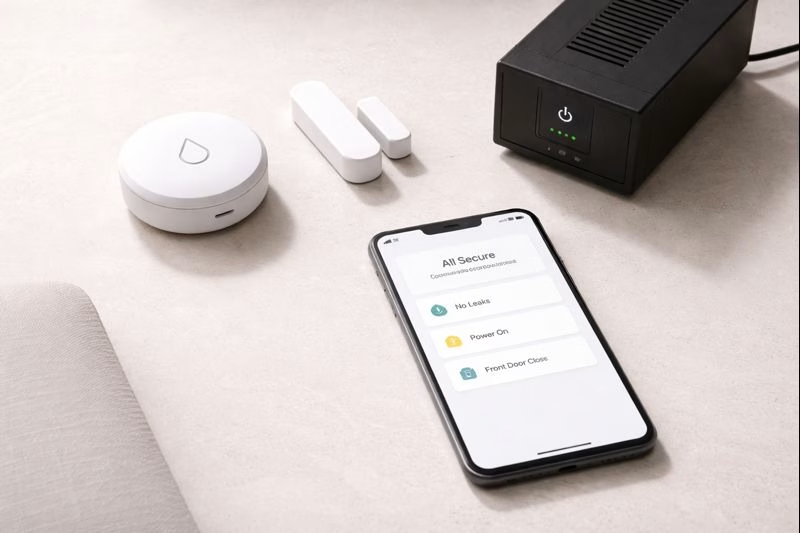
Water damage is one of the most common and costly home issues, and it’s often preventable if detected early. If you want product options, start with our
leak sensor roundup, which compares practical picks for kitchens, basements, and utility rooms.
Power and connectivity awareness
Many smart homes fail simply because power or internet goes down. Knowing when your home loses power — and when it comes back — prevents blind spots. For practical tools that focus on awareness rather than automation, see our guide to
monitoring power outages.
Entry points
A few well-chosen door or garage sensors usually provide clearer signals than constant motion alerts. If you want to compare options, our
entry sensor guide walks through what actually matters.
Visual confirmation
Cameras are most useful for context — deliveries, visitors, or storm aftermath — not as primary sensors. For usability-focused comparisons, reference our
camera breakdown.
Common mistakes
Turning everything on
Alert overload is the fastest way to abandon monitoring entirely. High-signal alerts should be rare, meaningful, and easy to interpret.
Using cameras to detect leaks
Cameras don’t detect slow leaks or moisture buildup. Sensors placed at known failure points do. For basement-specific considerations, see our guide to
basement monitoring.
Ignoring infrastructure limits
Weak Wi-Fi in garages or basements undermines monitoring. Solve coverage issues first, or choose devices designed for longer range and lower power.
What to know before setup
Create an alert hierarchy
- Immediate alerts: water detected, smoke/CO, power loss.
- Quiet alerts: garage opened, motion during expected hours.
- Logs only: routine activity patterns.
Separate home and away behavior
Most frustration comes from not differentiating between when you’re home and when you’re not. Monitoring earns its value in away mode.
Plan for maintenance
Monthly checks — battery status, test alerts, connectivity — keep the system dependable when you need it most.
Where monitoring matters most
Water risk zones
- Under kitchen and bathroom sinks
- Behind the washing machine
- Near water heaters or boilers
- Basement or sump-adjacent areas
Power and internet
- Router and modem
- Freezers or sump-related circuits
Entry points
- Front door
- Garage door or access door
A simple monitoring plan
Phase 1
- Install 2–4 leak sensors in the highest-risk locations.
- Enable immediate alerts for water detection.
Phase 2
- Add power or connectivity awareness.
- Define clear away-mode alerts.
Phase 3
- Add one or two entry sensors.
- Choose a single exterior camera for visual context.
Calm takeaway
Effective monitoring doesn’t feel busy. It feels quiet and reassuring. Start with water, add power awareness so your system doesn’t go blind, and then layer in a small number of entry and visibility signals.
That’s enough to reduce real risk without creating noise.
Disclosure: Some links on Plug & Play Living may be affiliate links. This guide links to internal resources for further reading.