A Practical Guide to Smart Home Alerts (What to Monitor — and What to Ignore)
Most homeowners don’t need a fully automated smart home. What they actually need is an early-warning system — alerts that tell you when something quietly goes wrong before it becomes expensive.
This guide covers the alerts that genuinely protect your home, where they matter most, and which alerts you can safely ignore so you don’t end up with notification fatigue.
Quick Take
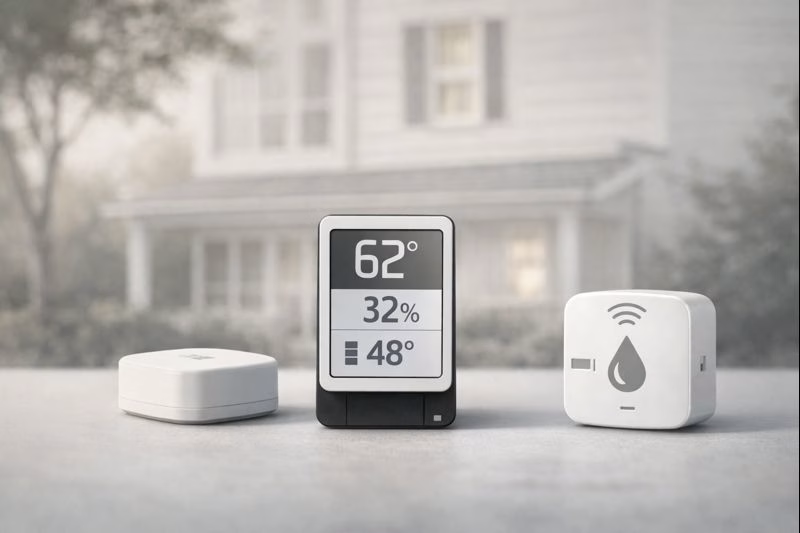
The alerts that matter most: water leaks, temperature drops (freeze risk), power outages, and humidity trends. Build those first. Everything else is optional.
Why Alerts Matter More Than Automation
Lights and routines can be convenient, but they don’t usually prevent damage. The most expensive home problems tend to start in four categories:
- Water (leaks, drips, seepage)
- Cold (freeze risk, drafts, cold pockets)
- Power loss (heat shuts off, sump pumps stop, router dies)
- Air conditions (humidity trends, condensation, mold risk)
If you can monitor those calmly and reliably, you’ve built the core of a smart home that actually protects your property.
The Smart Alerts That Actually Protect Your Home
1) Water Leak Alerts
Water damage rarely announces itself dramatically. It’s usually a slow drip under a sink, a water heater seep, or a washing machine hose starting to fail. A leak alert buys you time — which is exactly what you don’t have if you only discover the issue after water spreads.
Best places to monitor: water heater base, under-sink supply lines, behind dishwashers, laundry hookups, basement utility corners, near floor drains.
What to Know Before Setup: Place sensors where leaks start (supply lines / the base of a water heater), not where water might eventually spread. One well-placed sensor beats three random ones.
2) Temperature Alerts (Freeze & Heat)
Temperature alerts are less about comfort and more about prevention. They’re most valuable in older homes, rooms with exterior-wall plumbing, and spaces that swing wildly (like garages).
Best places to monitor: garages near plumbing runs, basement cold corners, under-sink cabinets on exterior walls, utility rooms, crawl access points.
What to Know Before Setup: Set freeze-related alerts at 40–45°F — not 32°F — so you have time to react. Waiting until freezing is usually too late.
3) Power Outage Alerts
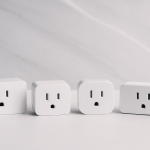
Power loss is rarely the whole story — it’s the trigger. Heat can shut off, sump pumps and dehumidifiers can stop, and routers can go down. The value of a power alert is knowing immediately when a critical system may be compromised.
Best places to monitor: outlets powering dehumidifiers, sump-related circuits, boiler controls, garage freezers, or any “if this is off, I need to know” device.
What to Know Before Setup: Plug the power alert into the outlet that represents what you care about. Otherwise you’ll get an alert that’s too vague to act on.
4) Humidity Alerts
Humidity issues are slow-burn problems — musty smells, condensation, and mold risk. A humidity sensor is most useful when it helps you spot a trend, not when it pings constantly.
Best places to monitor: basements, crawl spaces, utility rooms, laundry rooms, and any area with a history of dampness.
What to Know Before Setup: Avoid ultra-sensitive thresholds. “Alert me if it stays high” is usually better than “alert me every time it spikes,” or you’ll stop trusting alerts.
5) Security / Presence Alerts (Optional)
Cameras and motion alerts can be useful — especially for second homes — but they’re rarely the first layer you should build. Where they shine is giving you quick context after an alert or storm: “Does everything look normal?”
What to Know Before Setup: Keep motion zones tight. Too many notifications becomes noise, and noise gets ignored.
Smart Alerts Most Homes Don’t Need (Most of the Time)
Notification fatigue is real. These can be useful in specific situations, but they’re not “default” needs for most homes:
- Motion sensors in every room (you’ll stop noticing them quickly)
- Door/window sensors everywhere (helpful for security plans, not essential for maintenance)
- Complex automations tied to alerts (more failure points than the problem you’re solving)
- FYI notifications that don’t lead to a clear action
How to Set Alert Thresholds (Without Creating Noise)
- Temperature: freeze-related alerts at 40–45°F, not 32°F.
- Humidity: prefer alerts for sustained high humidity vs. every spike.
- Power: monitor the outlet/circuit that represents critical equipment.
- Leaks: prioritize the first place water appears (supply lines, water heater base, hoses).
A Calm Starter Alert Setup (3–4 Alerts Max)
If you’re starting from zero, this setup covers most “quiet home risks” without turning into a project:
- 1 leak alert (utility room or under-sink supply lines)
- 1 temperature alert (garage/cold zone/exterior-wall plumbing)
- 1 power alert (critical outlet/circuit)
- Optional humidity alert (basement/crawl space if moisture is a known issue)
Final Thought: A Smart Home Should Be Quiet
The best alert setups don’t ping often. But when they do, you’re glad — because it means you caught something early. Build the four core alerts first (water, temperature, power, humidity), keep them actionable, and expand only when you have a real reason.
Disclosure: As an Amazon Associate, we earn from qualifying purchases.