A Simple Smart Home Starter Setup (What to Buy First — and Why)
Most people get overwhelmed by smart home tech because they start with the wrong question: “What’s cool?”
The better question is: What problems am I trying to prevent?
A good smart home setup isn’t about automating everything. It’s about monitoring real risks — water, fire, temperature, power, and access — in a way that stays quiet until something actually changes.
Quick Take
If you want a calm, practical starter setup: start with water protection, add temperature awareness, then layer in power and access monitoring. Everything else is optional.
The 5 Problems a Smart Home Should Solve First
- Water damage: leaks, burst pipes, appliance failures
- Fire & CO risk: early alerts when you’re not nearby
- Temperature extremes: freeze risk and system failures
- Power loss: outages that take down protective systems
- Unexpected access: doors opening when they shouldn’t
The Core Smart Home Starter Devices
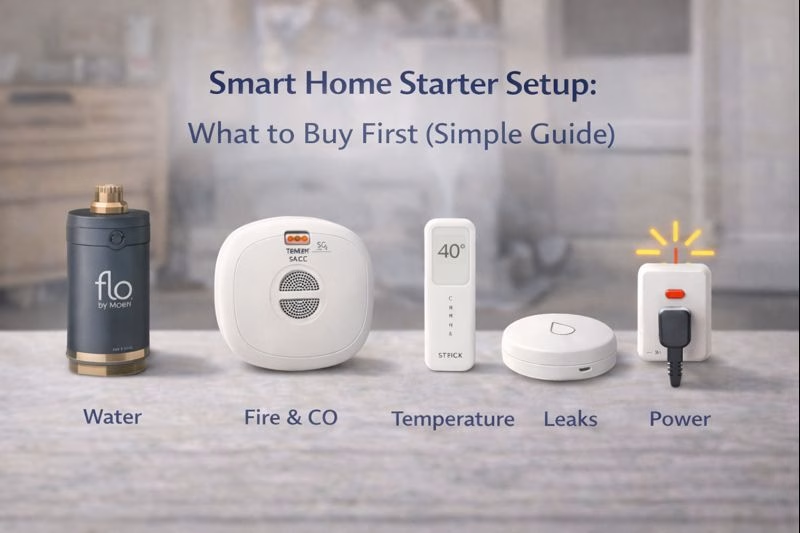
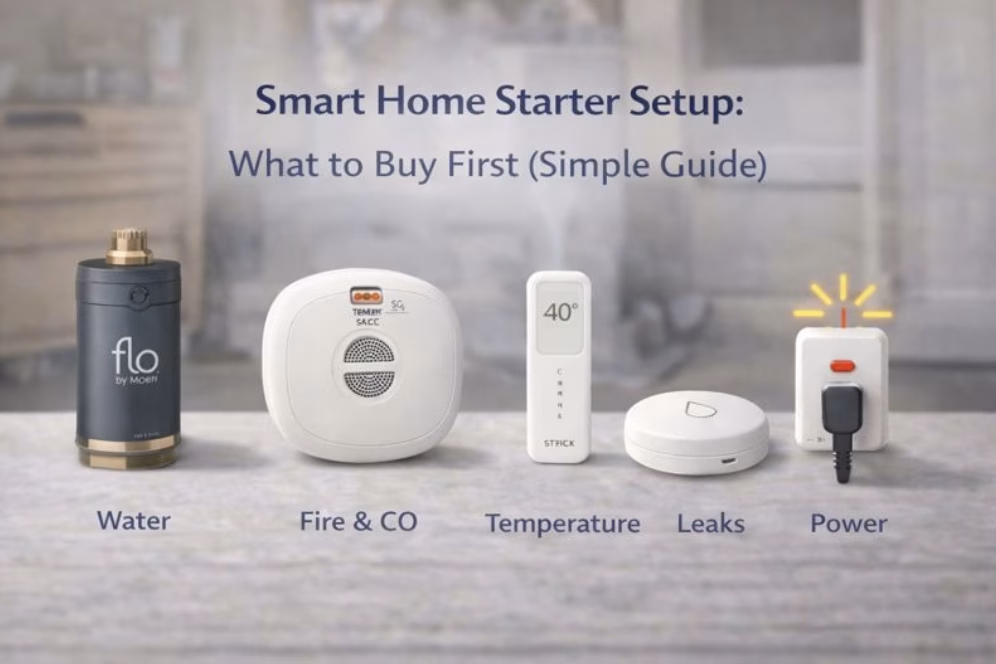
Flo by Moen Smart Water Monitor & Shutoff
Start here if you want maximum protection
Water damage is one of the most expensive and common home issues — and it often starts quietly.
Real review take: Flo is powerful because it doesn’t just alert you. It can automatically shut off your home’s water supply, limiting damage even if you see the notification late.
Why It’s a Starter Device: Preventing one major water event can justify the entire system.
What to Know Before Setup: Installation usually requires a plumber. Spend time calibrating alerts so normal usage doesn’t become noise.
First Alert SC5 Smart Smoke & Carbon Monoxide Alarm
For alerts you should never miss
Fire and carbon monoxide incidents escalate quickly. Knowing immediately — even when you’re not home — matters.
Real review take: The SC5 provides smart alerts without relying on discontinued ecosystems. It’s simple, modern protection layered onto a basic safety need.
Why It’s a Starter Device: Early awareness reduces severity, even when there’s no direct insurance discount.
What to Know Before Setup: Avoid nuisance-prone placement so alerts stay meaningful.
Temp Stick WiFi Temperature & Humidity Sensor
For freeze-risk and “is everything okay?” monitoring
Temperature data becomes a safety tool when you’re away or asleep — especially in older homes, basements, and garages.
Real review take: Temp Stick is widely used for remote monitoring because it’s focused on alerts that actually matter.
Why It’s a Starter Device: Freeze alerts give you time to act before pipes are at risk.
What to Know Before Setup: Set alerts at 40–45°F, not 32°F.
YoLink Water Leak Sensor
For targeted monitoring in high-risk zones
Whole-home protection is powerful, but targeted leak sensors still matter around known risk areas.
Real review take: YoLink works especially well in basements, utility rooms, and older homes where Wi-Fi can be unreliable.
Why It’s a Starter Device: Clear, binary alerts reduce confusion and alert fatigue.
What to Know Before Setup: Place sensors where leaks start, not where water spreads.
YoLink Smart Power Fail Alarm
For knowing when protection systems go offline
Power loss is often the hidden cause behind other problems: sump pumps stop, dehumidifiers shut off, routers go down.
Real review take: Power-fail alerts are one of the most overlooked — and most useful — smart devices.
Why It’s a Starter Device: It turns invisible outages into actionable alerts.
What to Know Before Setup: Plug it into the outlet powering the system you care about most.
A Calm, Layered Setup Order
- Water shutoff or leak detection
- Fire & CO alerts
- Temperature monitoring
- Power-fail awareness
- Optional access monitoring
Final Thought
The best smart home setup doesn’t feel “smart” day to day. It stays quiet, runs in the background, and speaks up early when something changes. Start with real risks, build slowly, and ignore everything that doesn’t protect your home.
Disclosure: As an Amazon Associate, we earn from qualifying purchases.